Market at the auction house
Undying's Market opens beside the auction window. It works from your own price scan, which stays on your PC.
- Free
- No login
- Nothing sent automatically
What it does
MARKET (WORK IN PROGRESS)
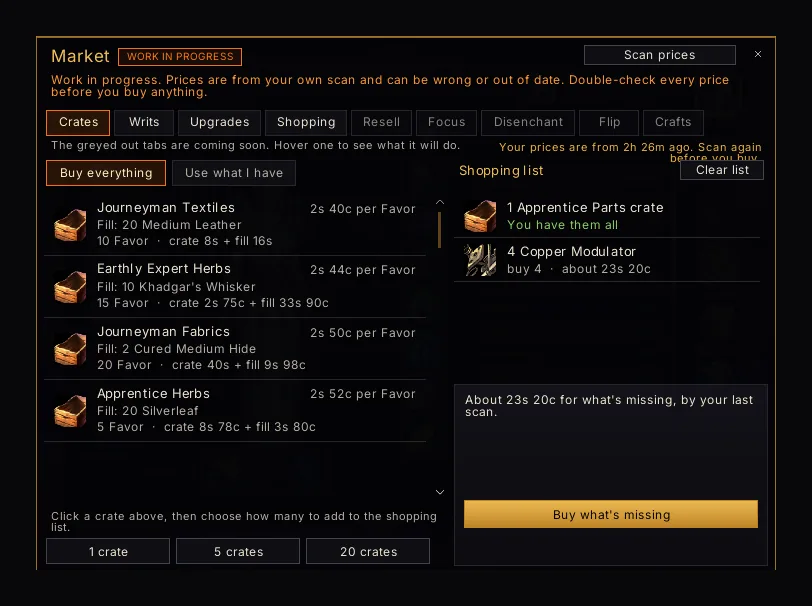
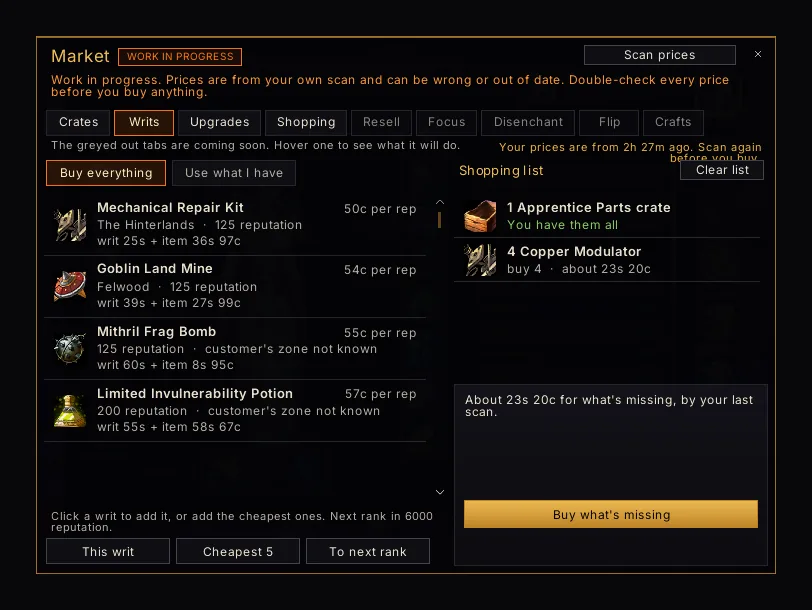
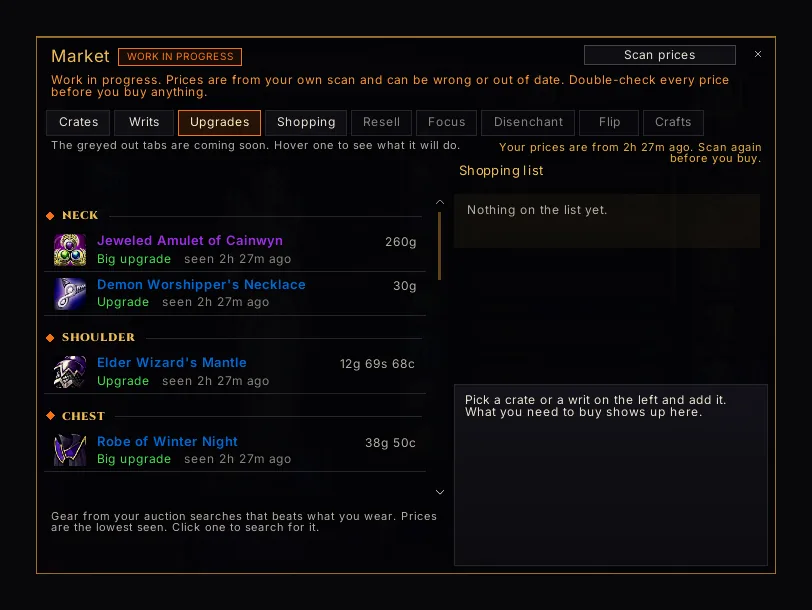
Work in progress: Undying's Market opens beside the auction window and works from your own price scan, which stays on your PC. Crates ranks every Waylaid Crate by what a point of Merchant's Favor costs right now. Writs ranks every Craftsman's Writ by what a point of reputation costs. Upgrades for you lists gear from your auction searches that beats what you wear. A shopping list, and Buy what's missing: one purchase a press, with the full price shown first. Prices can be out of date, so check every price before you buy. Hovering a line on the shopping list shows its hint. The Upgrades tab keeps filling in however long you play The Disenchant tab lists gear in your scan that is worth more as materials than it costs, after the auction house's cut; these are estimates. The Crafts tab shows which of your recipes are worth making to sell or to disenchant, and can add what you need to the shopping list.
AUCTION HOUSE
One button scans the whole auction house, with a timer for the scan and for the wait until the next one. Tooltips show the lowest price you've seen for any item. On things you can make: what the materials cost, what one sells for, and whether it's worth making. Auctions that are upgrades for you are marked in the results. Prices stay on your PC. A price scan keeps waiting when the game answers with an empty list A price scan now saves every time, even when something on the auction house is listed for a huge price.
In the window
Where to find it
Open the auction house and the Market opens beside it; a Market tab on the auction window's top edge closes and reopens it. Scan prices is at the top of the Market. Crates ranks every Waylaid Crate by what a point of Merchant's Favor costs right now, counting the crate and the cheapest goods that fill it. Writs ranks every Craftsman's Writ by what a point of reputation costs, with the customer's zone where it is known. Add crates, writs or a profession route's materials to the shopping list: it shows what you have, what you still need and about what it costs, and it is kept between visits. Prices are worked out for the amount you need, not from the single cheapest listing. The Disenchant tab lists gear in your scan that is worth more as materials than it costs, after the auction house's cut; these are estimates. The Crafts tab shows which of your recipes are worth making to sell or to disenchant, and can add what you need to the shopping list. Resell, Focus and Flip are shown greyed out and are coming soon.
What it does not do
- Buy what's missing makes one purchase a press. The full price is shown before you buy, a price well above your scan is flagged, and it tells you what it spent. You can switch buying off in Helpers and keep the lists.
- Its prices come only from your own scans and are never sent anywhere.
- The addon's Market is not the site's Market Report. The Market Report on this site does not use anything from the addon or from players.
On this site
- Professions in the addonSend a route's shopping list to the Market with one button.
- The Undying addonEvery feature, the download and how to install.